
Invoices
In this menu you can see the history of transactions performed for your account for both the invoices that are in waiting or confirmed status:
-
payment status
-
time and date of action
-
top up value (total price)
-
purchase rate
-
package
-
the email address of the account who created the invoice.
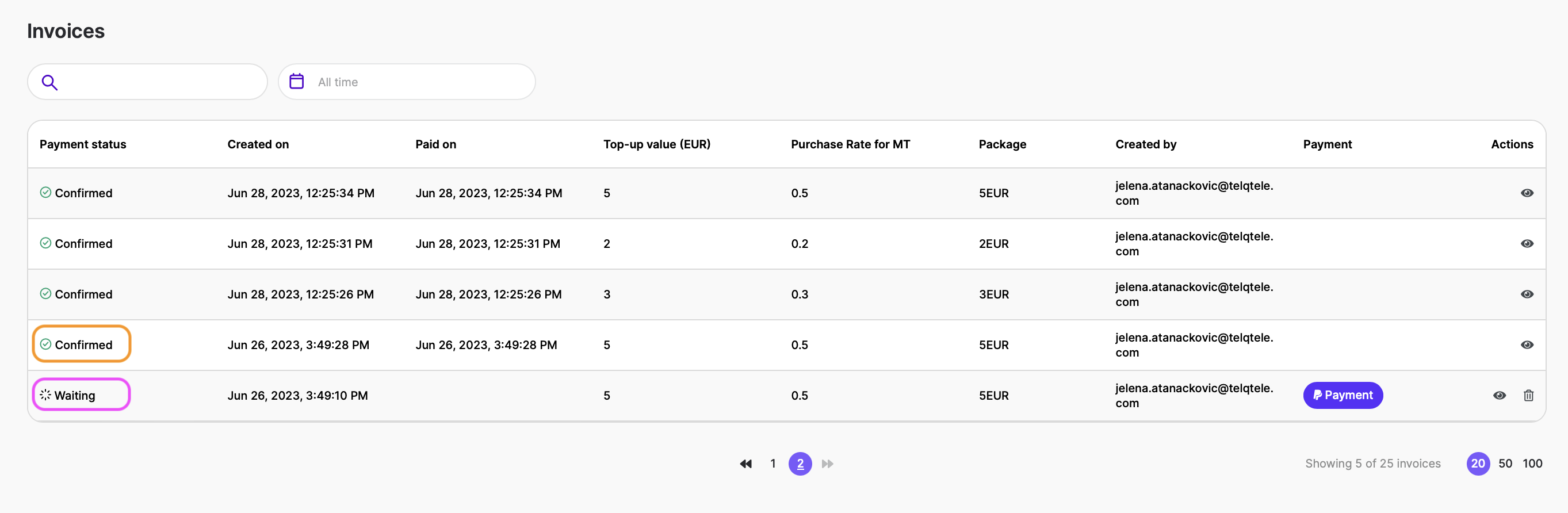
You will also be able to:

(Prepaid) click on the Payment button to continue your transaction (for those invoices in “Waiting“).

view the transaction

(Postpaid) download an excel spreadsheet containing all your tests for the billed month

download the invoice

(Prepaid) delete any transactions that are still in “waiting“
Please keep in mind that this menu is displayed in both the main (admin) accounts and deputy accounts.